
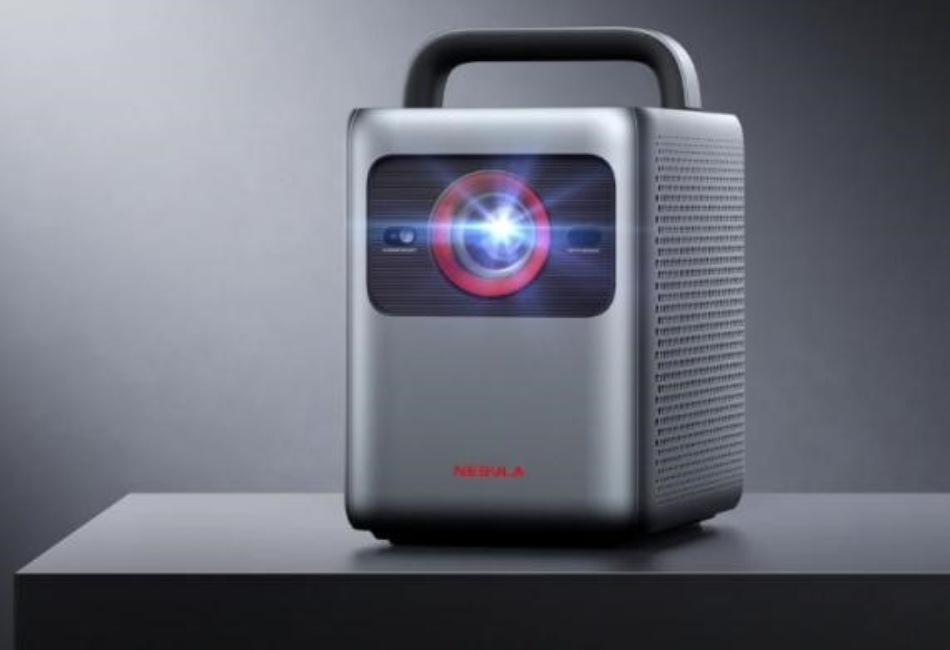
Essential Tips for Maintaining Your Projector
Maintaining your projector is crucial to ensure its longevity and optimal performance. Whether you use it for home entertainment, business presentations, or educational purposes, regular upkeep can prevent common issues and enhance your viewing experience. Projectors, such as Capsule Air and Cosmos 4K SE, require specific care to maintain their high-quality image output and functionality. This guide will cover essential maintenance tips, from cleaning routines to proper storage practices. By following these guidelines, you can keep your projector running smoothly and extend its lifespan.
Why is Regular Maintenance Important for Your Projector?
Regular maintenance is vital for the longevity and performance of your projector. Dust and debris can accumulate inside, leading to overheating and potential damage to internal components. For instance, cleaning the air filters of projectors like the Cosmos 4K SE helps maintain airflow and prevents overheating. Additionally, regular maintenance ensures that the projector’s lamp, which is often the most expensive part to replace, lasts longer. Keeping the lens clean is crucial for maintaining image clarity and brightness, ensuring you get the best possible viewing experience. Regular maintenance also includes updating firmware and software to keep the projector’s features and performance at their peak. Ignoring these tasks can lead to costly repairs or the need for early replacement.
Tips of How to Clean Your Projector
Cleaning the Air Filter
The air filter in your projector should be cleaned every three to six months, depending on usage and environment. Dusty environments require more frequent cleaning. To clean the air filter, turn off the projector and unplug it. Remove the filter according to the manufacturer’s instructions, then use a soft brush or compressed air to remove dust and debris. Regular cleaning of the air filter ensures proper airflow, which prevents the projector from overheating and potentially damaging internal components.

Wiping the Lens
Cleaning the lens should be done monthly or whenever you notice a decline in image quality. Use a microfiber cloth to gently wipe the lens in a circular motion, avoiding any harsh chemicals or abrasive materials that could scratch the surface. For stubborn smudges, a lens cleaning solution can be used. Keeping the lens clean is crucial for maintaining image clarity and brightness, ensuring that projectors like the Capsule Air deliver sharp and vibrant visuals.
General Cleaning Tips
General cleaning of your projector involves wiping down the exterior and ensuring vents are free of dust. Use a soft, dry cloth to clean the exterior surfaces and avoid using liquids that could seep into the device. It’s also essential to regularly check and clean the vents to ensure proper ventilation. Projectors such as Cosmos 4K SE have multiple ventilation points that need to be kept clear to prevent overheating. Regularly inspecting and cleaning these areas will help maintain optimal performance and extend the projector’s lifespan.
What Tools and Materials Do You Need for Projector Maintenance?
Essential Cleaning Tools
Essential tools for maintaining your projector include a microfiber cloth, compressed air canister, soft brushes, and lens cleaning solution. Microfiber cloths are gentle and effective for cleaning lenses without scratching them. Compressed air helps remove dust from air filters and vents. Soft brushes are useful for delicate components that need careful dusting. These tools are readily available and crucial for keeping your projector in top condition.
Recommended Cleaning Solutions
For cleaning the lens, a dedicated lens cleaning solution is recommended. Avoid using household cleaners as they may contain chemicals that can damage the lens coating. A mild, alcohol-free solution is ideal for maintaining the clarity of the lens. For the exterior, a slightly damp cloth with water can be used, ensuring no liquid enters the projector. These solutions help maintain the projector’s components without causing damage.
Safety Precautions
When cleaning your projector, always turn off the device and unplug it from the power source. This prevents any risk of electric shock or short-circuiting. Allow the projector to cool down before cleaning, as the lamp and other components can be very hot after use. Handle all parts with care, especially the lens and internal components, to avoid damage. Following these safety precautions ensures a safe and effective maintenance process.
How to Properly Store Your Projector When Not in Use?
Proper storage is essential to protect your projector from dust, moisture, and physical damage. When not in use, store your projector in a cool, dry place away from direct sunlight. Use a dust cover or a dedicated carrying case for added protection. For long-term storage, remove the lamp and store it separately to prevent any damage. Make sure the projector is completely cooled down before packing it away. If you have a high-end model like the Cosmos 4K SE, consider investing in a storage solution that provides additional cushioning and protection. Proper storage practices help extend the lifespan of your projector and ensure it’s ready for use when needed.
Conclusion
Maintaining your projector through regular cleaning and proper storage ensures its longevity and optimal performance. By following these essential tips, you can prevent common issues such as overheating, dust accumulation, and image degradation. Whether you own a Capsule Air or a Cosmos 4K SE, adhering to these maintenance guidelines will help you get the most out of your device. Regular maintenance not only enhances your viewing experience but also protects your investment, allowing you to enjoy high-quality visuals for years to come.


